Smart Excel import
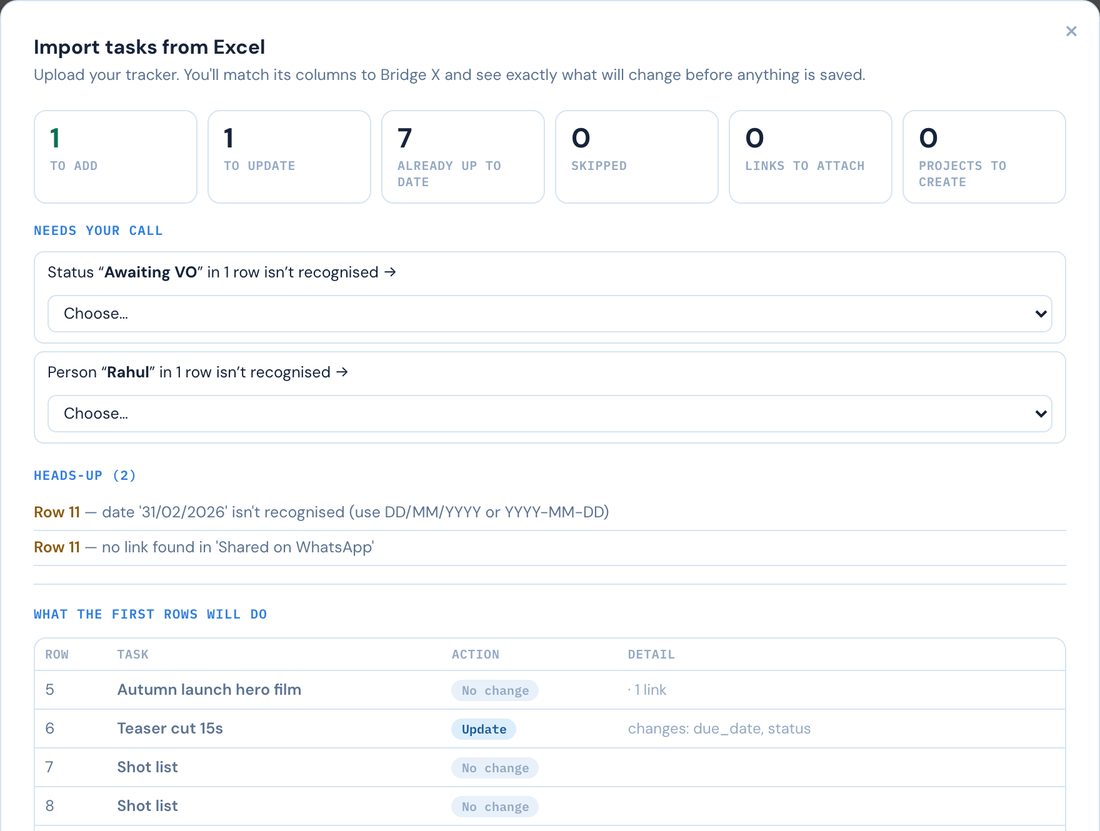
Upload your .xlsx or .csv. Bridge X suggests the column matching, shows exactly what will be created or updated, and saves only when you confirm. Undo the whole import in one click.
How the import works →Bring your Excel tracker as it is. Bridge X matches the columns, shows what will change before it saves, and tells you which tasks have stalled and for how long.
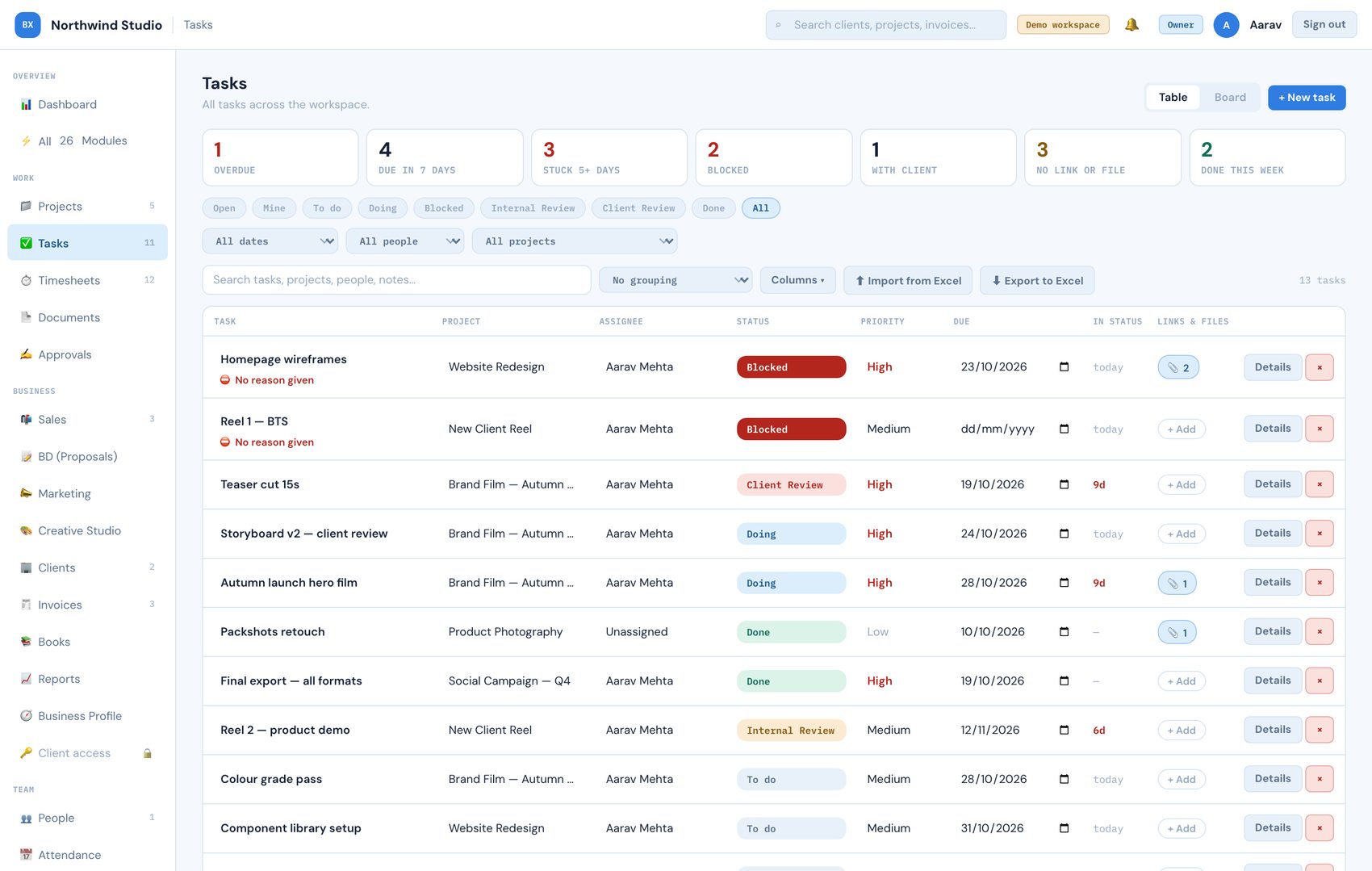
The real task table, shown with sample data from the demo workspace.
Bridge X is a project tracker and business operations platform for teams and agencies, built by SR Creative Productions in Mumbai. It imports Excel and CSV trackers, previews every change before saving, and shows how many days each task has sat in its status. Plans start at $29 per month. Read more: Excel project tracker alternative, project management for teams and agencies, how to import an Excel tracker, plans and pricing.
Review rounds, client approvals and blocked work are where projects stall. Bridge X makes those states visible instead of leaving them in a spreadsheet cell.
Upload your .xlsx or .csv. Bridge X suggests the column matching, shows exactly what will be created or updated, and saves only when you confirm. Undo the whole import in one click.
How the import works →Every task shows how many days it has sat in its status. Filter to Stuck 5+ days, Blocked or With client in one click, so nothing waits quietly for a week.
Why teams leave Excel trackers →To do, Doing, Blocked, Internal review, Client review and Done. A blocked task carries its reason, and every change is logged on the task.
Project management guide →No rebuild and no retyping. Your columns, your statuses and your names come with you, and anything Bridge X does not recognise is yours to map.
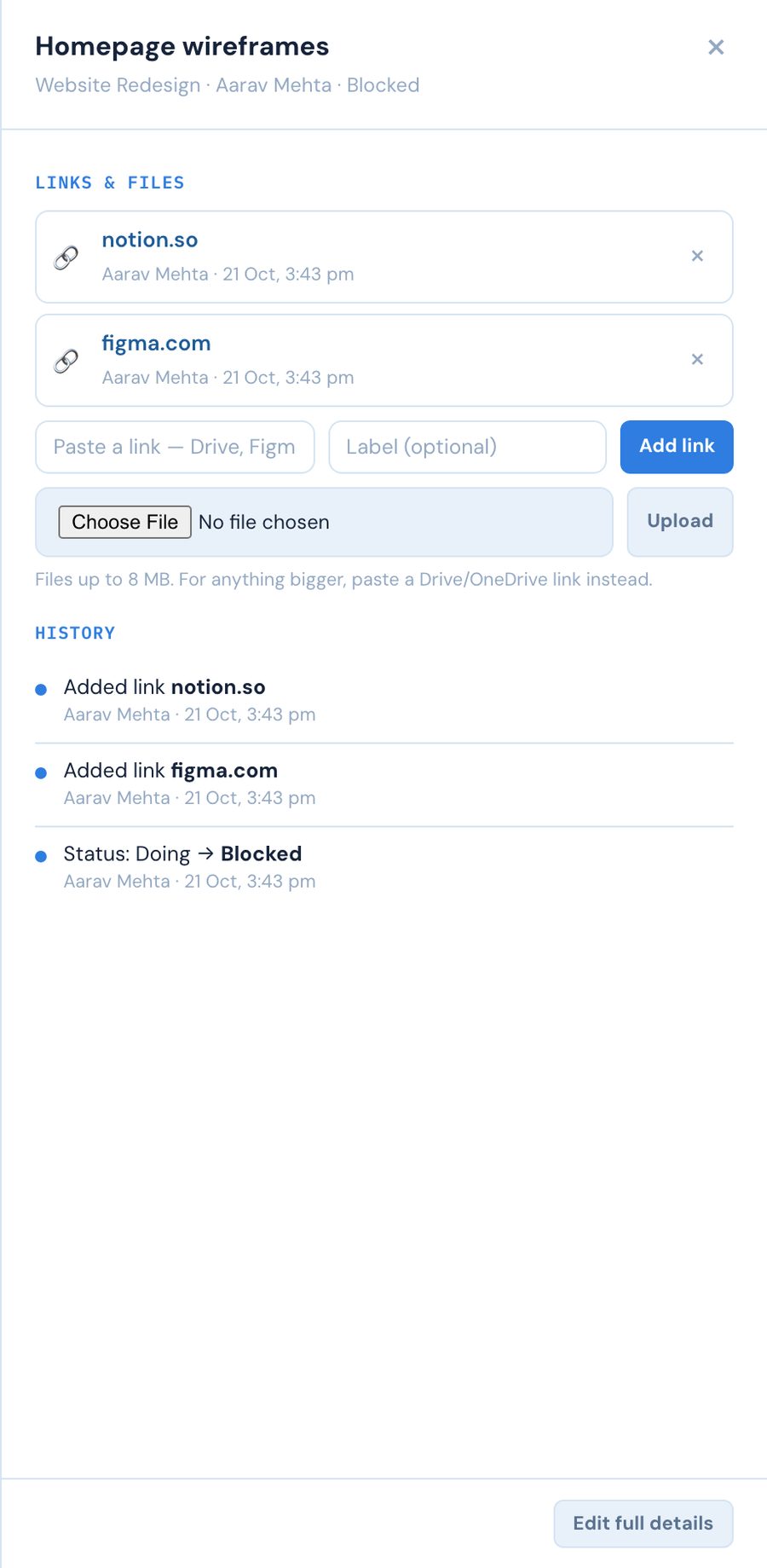
The cut, the brief and the client's feedback belong on the job, not scattered across chats and drives.
Three 64-second walkthroughs, narrated, on the real app with no staged data.
Narrated, on the real app: projects, tasks, timesheets and attendance for one team.
Start with Team →A real pipeline, a real invoice, narrated start to finish.
Start with Business →Add someone, mark attendance, run a real payslip.
Start with HR Portal →Three separate packages, so you only see the screens your job needs. Start with the free demo, no card required.
Projects, tasks, timesheets and attendance for one team.
Up to 20 people · billed about ₹2,550/month
Start with TeamThe full client-work pipeline, from lead to invoice.
Up to 50 people · billed about ₹6,950/month
Start with Business →Payroll and compliance, without the rest.
Up to 100 people · billed about ₹3,450/month
Start with HR PortalPrices are listed in US dollars and charged in Indian rupees through Razorpay. Need the full agency stack and payroll together? Enterprise is custom-priced. Full plan details
Short answers to what teams ask before they switch.
Bridge X is a project tracker and business operations platform for teams and agencies. It imports Excel and CSV trackers, previews every change before saving, and shows how many days each task has sat in its status so stuck work is visible. Depending on the plan it also covers timesheets, attendance, a sales pipeline, invoicing, a client portal and payroll. Why teams leave Excel trackers.
Yes. Upload your .xlsx or .csv tracker, check the suggested column matching, review the preview and confirm. You get an editable table, a board view and an export back to .xlsx, plus days-in-status, blocked reasons, task history and attachments. How the import works.
Team is $29 per month for up to 20 people, Business is $79 per month for up to 50 people, and HR Portal is $39 per month for up to 100 people. Billing is charged in Indian rupees through Razorpay and can be cancelled anytime. Plans and pricing.
They are the same Bridge X, but each package only turns on the modules that job actually needs. Nothing is nested; each is its own complete package.
Yes. Email elevate@srcreativepro.com and the workspace is moved to a different package. Your data stays as it is.
No. The demo is the full product with realistic sample data, and you can start a real workspace on any plan.
Send us your Excel tracker (client names removed is fine). We import it into Bridge X and send back a short screen recording of what it flags. Free, nothing to install.